


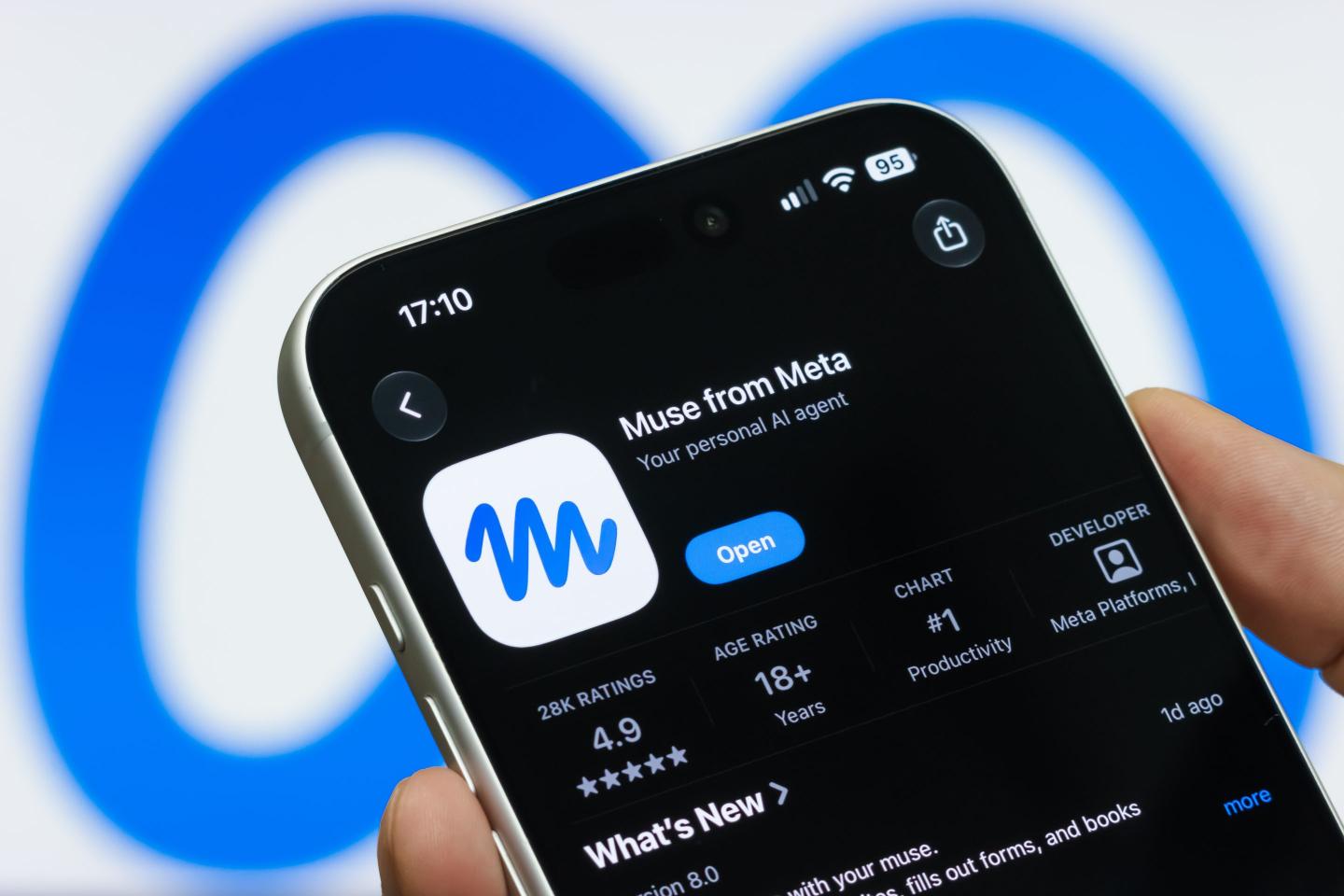
Meta has introduced Muse, a personal artificial intelligence agent designed to go beyond answering questions and take actions on behalf of users.
Unlike conventional AI chatbots that mainly respond to prompts, Muse is built to handle multi-step tasks. Meta says the agent can browse the web, complete forms, book appointments, make purchases, create documents, generate images and connect with applications such as email and calendars.
The service can continue working in the background after users close the app, allowing it to monitor tasks and return with updates or suggestions. Meta describes this as “agentic AI” — systems capable of taking actions rather than simply generating responses.

How does Muse work?
Users can interact with Muse through its mobile app, desktop application and WhatsApp. The agent can also connect to other applications and services that users authorise.
For some actions, such as sending emails or making purchases, Meta says Muse requests permission before proceeding. Users can review what the agent plans to do and manage permissions for individual connections.
Meta says Muse uses a dedicated virtual machine and browser to navigate websites and perform tasks. It also says user credentials are stored separately and that the agent cannot directly read them. For purchases, Meta says a one-time card number can be generated so that a user’s actual card details are not exposed to the merchant or the agent.
Why is data collection an issue?
The convenience of an AI agent comes with a need for access to more information.
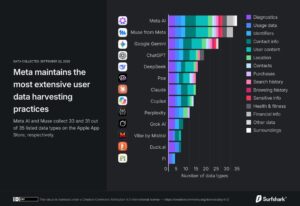
A Surfshark analysis of AI chatbots found that Muse collects 31 of 35 data categories listed by Apple’s App Store privacy disclosures, placing it behind Meta AI, which the study said collects 33 categories.
Surfshark’s earlier analysis of leading AI chatbots found that Meta AI collected the highest number of data categories among the apps examined, at 33 out of 35. The study said the average across the analysed apps was 14 categories.
The categories identified in such privacy disclosures can include information relating to users’ location, contacts, content, browsing or search activity and other forms of usage data.
Surfshark’s analysis also identified precise-location collection among some AI chatbots, including Meta AI and Muse, while some competing services disclosed collection of approximate rather than precise location data.
Muse can connect to your other apps
One of the features that distinguishes Muse from a basic chatbot is its ability to work across services.
Meta says users can connect email, calendars, Instagram and other applications to Muse. The agent can then use information from those services to perform tasks and pursue longer-term goals.
That capability is also what makes privacy an important consideration. An AI that only answers questions generally needs access to less personal information than one that can read relevant messages, interact with calendars, browse websites and carry out transactions.
What happens to conversations?
Surfshark’s analysis said Meta uses interaction data from Muse to train its AI models by default, with users able to opt out through the app’s settings.
This is an important distinction for users because interactions with an agent can potentially contain more context than ordinary chatbot prompts, particularly when the system is connected to personal applications and services.
Meta, for its part, says conversations with Muse are not shared with its advertising systems and says it has built controls that allow users to manage permissions and review the agent’s activity.
How is Muse different from Meta AI?
Meta AI is primarily positioned as a general-purpose assistant available across Meta’s platforms, including WhatsApp, Instagram, Facebook and Messenger.
Muse is designed to go a step further by acting as an agent. Rather than simply telling a user how to perform a task, it can potentially carry out the task itself, subject to permissions and safeguards. Meta says Muse can work through several steps and continue operating in the background.
What should users consider before using Muse?
The main trade-off is between convenience and access.
The more services Muse is connected to, the more useful it can become for tasks involving email, calendars, shopping, documents and other digital activities. But those connections also mean users should pay close attention to the permissions they grant and the information they allow the agent to access.
Users should also check the service’s privacy settings, understand whether their interactions can be used for AI training, and avoid giving an AI agent unnecessary access to sensitive accounts or information.
Muse is therefore part of a broader shift in AI: from systems that primarily answer users to systems designed to act for users. Its usefulness will depend not only on what it can accomplish, but also on how users, regulators and technology companies address the privacy and security questions that come with giving AI agents greater access to people’s digital lives.

- Police hunt driver after one-way violation sparks Abuja gas plant explosion - September 28, 2026
- Bandits abduct, kill Katsina LG health secretary - September 28, 2026
- What to know about Meta Muse AI, data collection - September 28, 2026